MetaTrader 5
Keep your workflow. Change your broker.
MetaTrader 5, connected to YAL: depth of market, every order type, and your own Expert Advisors, on desktop, in the browser and on your phone.
Trading involves risk. You could lose more than your deposit.





The platform
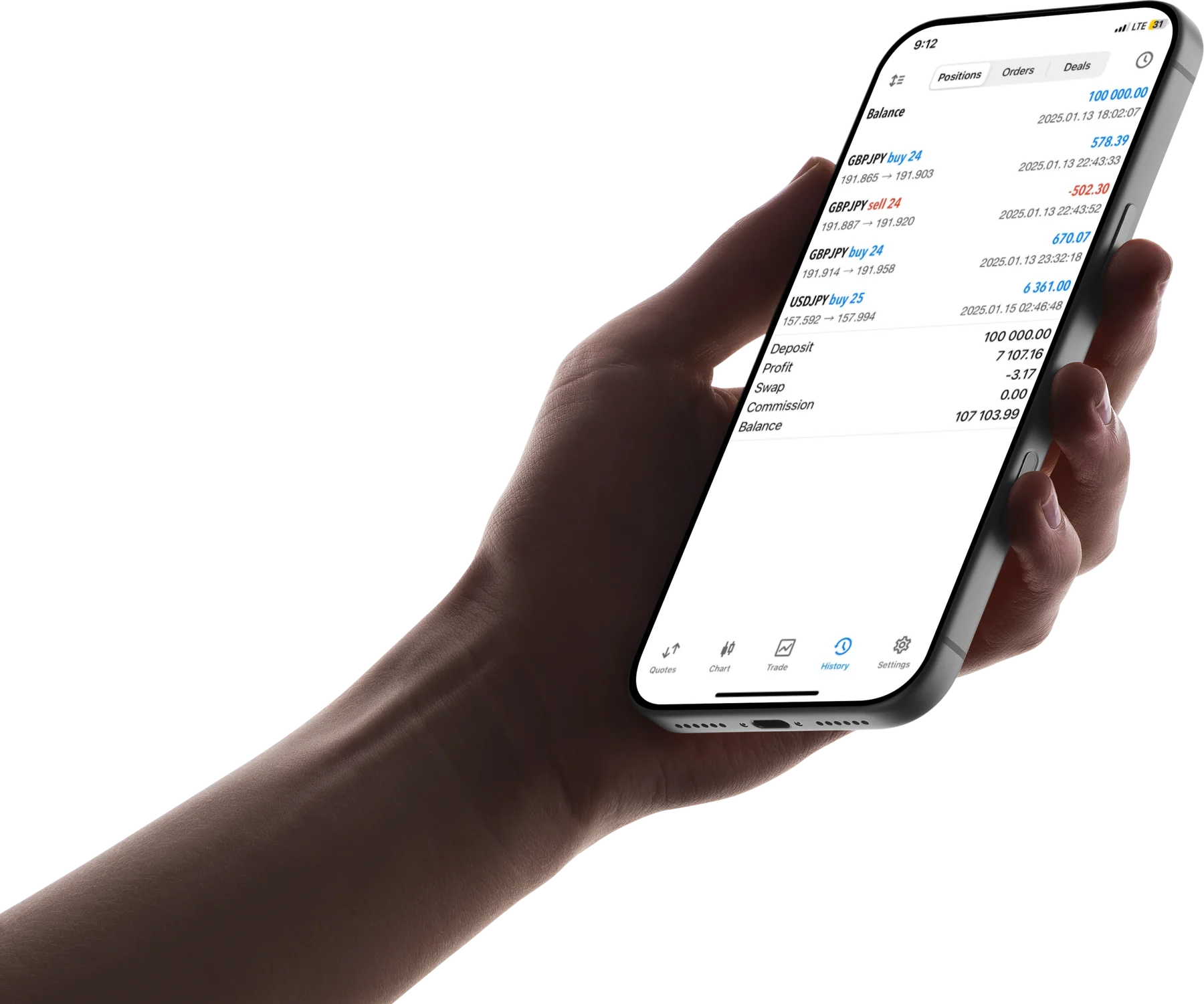
Every position, and what it actually cost
Profit and commission are reported per trade on the account itself, so what a position cost sits with the position rather than in a statement at the end of the month.
Every order type
Market, limit, stop and stop-limit, placed from the chart, the ticket or the book itself.
Timeframes to fit the strategy
From one minute to monthly, with the intermediate frames for strategies that fall between the standard set.
Analysis inside the terminal
The built-in indicators, the drawing tools, and an economic calendar you do not have to leave the platform for.
Average execution
19 ms
Fill quality
99.6%
Figures are illustrative placeholders pending verified data.
Automation
Bring the strategies you already run
Your expert advisors execute against deep institutional liquidity, on the same path as everything you place by hand.
MyExpert.mq5
MQL5
1#property version "1.00"2 3// Parameters the trader edits per chart, without recompiling.4input int FastPeriod = 12;5input int SlowPeriod = 26;6 7int OnInit()8{9 // Runs once, when the EA is attached to a chart.10 // Return anything but INIT_SUCCEEDED and it never starts.11 return(INIT_SUCCEEDED);12}13 14void OnTick()15{16 // Runs on every incoming tick, one at a time per chart,17 // so what you do here decides how fast you react.18 // Your rules go here.19}20 21void OnDeinit(const int reason)22{23 // Runs on removal, on chart close, and on every recompile.24}MetaEditor and the strategy tester are part of the terminal, not separate downloads.
Every device
Get MetaTrader 5
MetaTrader 5 runs on five surfaces and your account lives on none of them. Open a position at your desk and manage it from your phone: it is the same position, because it belongs to the account.
On your computer
Expert advisors and custom indicators run on the desktop terminal only.
On your phone
MetaTrader 5 is published by MetaQuotes, its authors, and you sign in with your YAL trading account. The download configured for our servers is in your client area. YAL does not publish its own trading app.
- Charts, order entry and account history
- Every surface
- Signed in on several devices at once
- Supported
Trading involves risk. You could lose more than your deposit.
Before you log in
Getting on to the platform
The four things that stop a first login, and the two questions everyone asks next.
Get started
Open your account in four steps.
A clear path from sign-up to your first trade, in four steps.
No depositNo documents
01/ 04step 1 of 4
Register
A few details to get started.
No deposit to open
02/ 04step 2 of 4
Verify
Confirm your identity, securely.
ID and proof of address
03/ 04step 3 of 4
Fund
Add money by bank transfer or card.
From $0
04/ 04step 4 of 4
Trade
Go live on the platform you already know.
MetaTrader 5